NRF TXT on MeshCore

I got pulled into a new hobby: mesh radio. It’s using the 915MHz ISM band with LoRa. Pretty simple in concept. Small radios act as modems. Apps on phones use BLE to talk to the modem. Messages get repeated by other radios.

There are two main, competing projects. Meshtastic and MeshCore. I think Meshtastic is superior in almost all aspects except for one. It falls over with high density. As a result of that, it lost traction in urban areas like Seattle. So, annoyingly, MeshCore became the de-facto standard around me even though it’s worse in nearly every way.

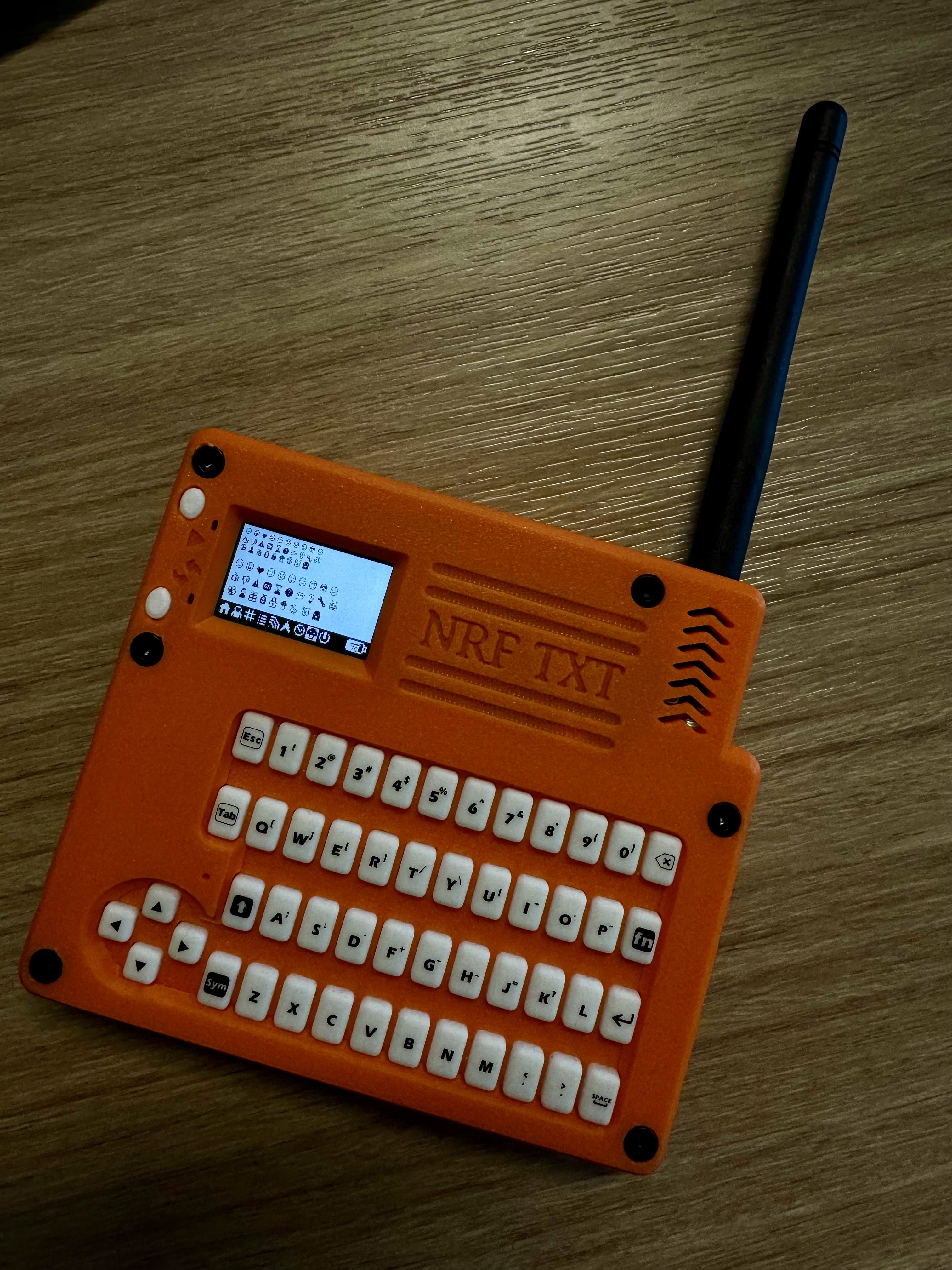
I started out on this adventure when I bought this thing: https://www.etsy.com/listing/1873027341/nrf-txt-most-advanced-stand-alone
NRT-TXT

It’s this cute little device that was built for Meshtastic. It’s based on the Heltec T114 radio which is supported by MeshCore, but MeshCore is VERY phone-centric. In order to get this little guy to be a mostly standalone radio, I had to build a custom firmware.

After many hours of coding, vibe coding, drawing little icons, and testing. It’s finally working well enough to be usable-ish.

If you got one of these and want to try it on MeshCore, check out my FW project https://github.com/kallanreed/MeshCore/tree/nrf-txt-fw. I’ve also posted pre-built FW below. Updating the T114 is super easy.

  1. Connect the device to your computer.
  2. Double-press the restart button to enter the firmware update mode.
  3. Drag the uf2 file onto the device.
  4. Wait until it reboots.

You first need to add contacts and channels with the phone app but then you can send and receive messages using only the device. There are a few hidden UI things that are not intuitive so here’s a cheatsheet.

Global

  • FN+H: Go to Home screen.
  • FN+I: Toggle screen invert.
  • Any key: Wake the screen if it is off (the first keypress only wakes the display).

Home Screen Navigation

  • LEFT: Previous page.
  • RIGHT: Next page.

Lists And Prompts

  • UP: Move selection up.
  • DOWN: Move selection down.
  • ENTER: Select/confirm.
  • ESC or LEFT: Cancel/close prompt.

Home Page

  • FN+R: Mark all messages read.
  • ENTER: Open Options prompt (Toggle Buzzer, Toggle Invert).

Recent Adverts Page

  • UP / DOWN: Select advert.
  • ENTER: Add contact (opens Add/Cancel prompt).

Contacts Page

  • UP / DOWN: Select contact.
  • ENTER: Open contact thread.

Channels Page

  • UP / DOWN: Select channel.
  • ENTER: Open channel thread.

Thread Screen (Contact Or Channel)

  • ESC or LEFT: Return to Home.
  • FN+ENTER: Compose message (opens text input).
  • FN+R: Mark thread messages read.
  • ENTER: Open selected message in viewer.
  • UP / DOWN: Move through message list.

Message Viewer

  • ESC or LEFT or ENTER: Return to previous screen.
  • UP: Previous message.
  • DOWN: Next message.

Text Input

  • ESC: Cancel and return.
  • LEFT / RIGHT: Move cursor.
  • ENTER: Send/accept input.
  • BACKSPACE or DEL: Delete character before cursor.

Radio Page

  • ENTER: Open Radio Options prompt (Reset Stats, Toggle BLE, Advert: Zero Hop, Advert: Flood, Toggle Camp Mode).
    • Camp Mode is “Client Repeater” mode.

GPS Page

  • ENTER: Open GPS Sensor prompt (Enable, Disable).

Power Page

  • ENTER: Open Shutdown prompt (Yes, No).

Releases

The OP-XY is Half-Baked

It’s pretty… but skin-deep.

I picked an OP-XY up for my birthday and it’s a lot of fun to play with but it’s certainly not worth the price. There are far too many missing features to justify the price. I’m going to list the feature gaps I run into while making songs below and hope that it either helps others decide whether it’s worth buying or maybe someone from TE will stumble across this and make some fixes.

I’m on the latest firmware 1.0.45

  • Recording to GarageBand over USB out is distorted.
  • No stereo sampling over USB input.
  • No per-note nudging when there is more than 1 note on a sequence step. (OP-Z can do this.)
  • No side chaining/ducking.
  • You can live record things that can’t be sequenced.
  • No chopping (on a sampler?!?!)
  • No timescale or tempo matching (the EP-1320 has this!! For $2000 less!!)
  • No fine control over note lengths. (All those knobs too…)
  • One LFO that is limited on what it can modulate. No mod-rate modulation either. Can’t drive the LFO from an Envelope.
    • The modulation matrix all up is very weak.
  • Parameter sequencing is very difficult to edit and results in lots of unhappy accidents when making changes.
  • Maestro has bugs where it will leave notes hanging.
  • Can’t start playback from the current bar. Very annoying when working on the 4th bar of a pattern.
  • No probability trigs. There’s random, but that’s not good enough for cases where you want real control over the pattern.
  • Similarly, there’s no “trig with previous” which would allow for small phrases to randomly trig.
  • Wavetable engine doesn’t support custom tables and there are only like 8 out of the box.
  • Bugs when setting note length. Especially when setting a second note on the same step (think sequencing chords.)
  • Sample management is a mess. MTP is a giant pain in the ass. You’re only able to have one layer of folders.
  • When opening a sample, it frequently gets confused by any numbers in the filename which causes it to set Tuning values that are completely incorrect.
    • Also there’s no quick way to reset the tuning to 0 so you’ll have to manually adjust with the knob.

Can you use it to make music? Yes. Could you make the same or better music for much cheaper. Double yes. The Deluge with the community firmware is $1000 cheaper and many times more capable as a sampler, synth, and sequencer.

UPDATE: I got tired of the bugs. Every new FW version came with new regressions. Too bad. I loved the device but the dev team ought to be ashamed (if not fired).

Sonicare UART

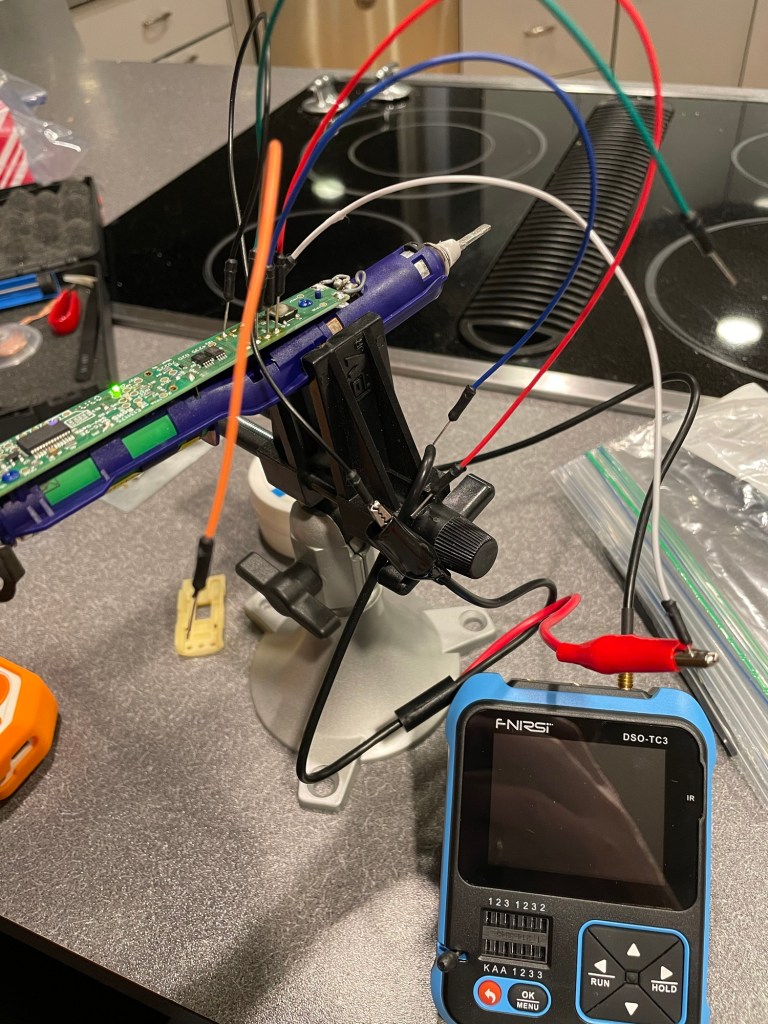
The seal on my toothbrush failed and the driver isn’t working well anymore. I took it apart to see if I could fix it, but the driver is all corroded and is a model that’s not serviceable. Boo.

I figured I’d scavenge the battery. While I was looking at it, I noticed that there are UART and I2C pads. Interesting. I soldered on some wires on and tried the Flipper Zero UART console. Sadly, nothing lit up.

I wonder what a toothbrush has to say…
Maybe the dorkiest thing I did over break?

I hooked up my little oscilloscope and checked all the pins. The UART pins seem to be pulled high and the I2C pins seemed to float. There was no clock or anything that looked like signal. Strangely, the UART pin voltage was 4.7v.

I could mess around with it some more, but I think it’s probably just there for programming the chip though the board at the factory.

Dirty-PocketChip-wave M8

Before I decided to buy the M8, I tried it “headless” with a Teensy for a while to see if I could figure it out. It worked well enough, but the whole point of the M8 is that it’s portable and fun. I thought I’d try to get it running on my PocketChip. It worked and it wasn’t even that bad to use. If I really wanted to I could have stuffed the Teensy into the Chip’s case and had a pretty decent portable experience. I even made a song on it.

I wrote a short readme and have the source on my GitHub. There’s also a pre-built binary if you have a Teensy and a PocketChip and want to give it a try.